Power Supply
The wärmeleser needs a reliable power supply to operate. Here is how to connect it correctly.
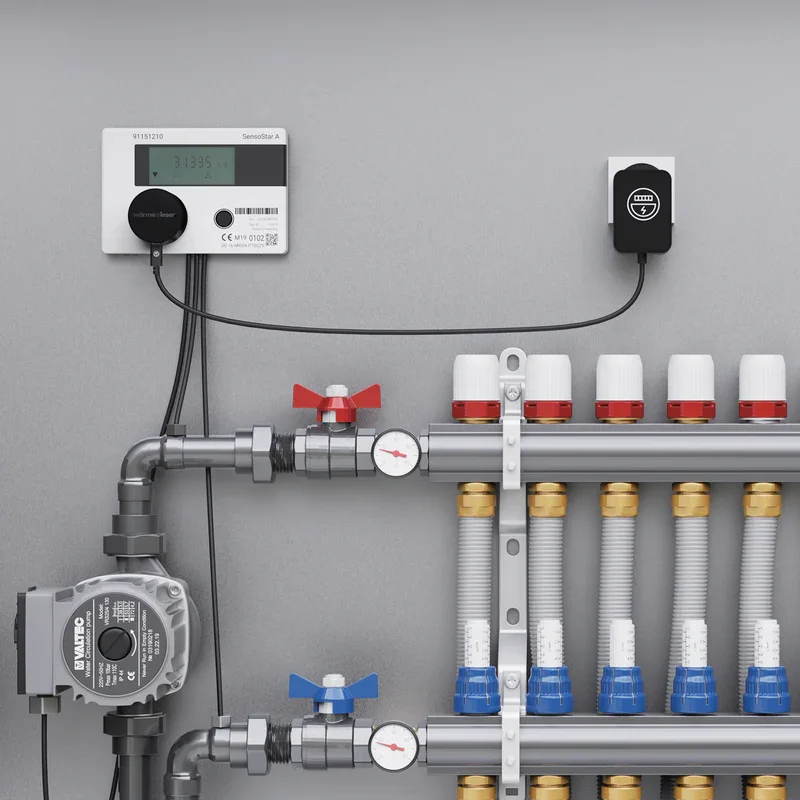
Power supply options
Depending on the wärmeleser model, different options may be available:
Power adapter (standard)
- Connect directly to a power outlet
- Continuous power supply
- No maintenance required
Connecting the power supply
-
Connect the power adapter
- Connect the power adapter to the wärmeleser
- Plug the adapter into a power outlet
- Check the LED indicator
-
Verify power
- Ensure the device is powered
- Check the status LEDs
- Wait for the device to initialise
Safety
Make sure the power connection is secure and no cables are damaged.
Next step
After the power supply is connected, you can start app setup.